Registration++
- Time:
- Three months.
- Collaboration:
- Member of a four person group.
- Tools:
- Figma, Illustrator, Google Suite, Excel.
Problem
Undergraduates often face uncertainty and frustration during course registration due to scheduling conflicts, varying course difficulty, and uneven workload distribution.
Solution
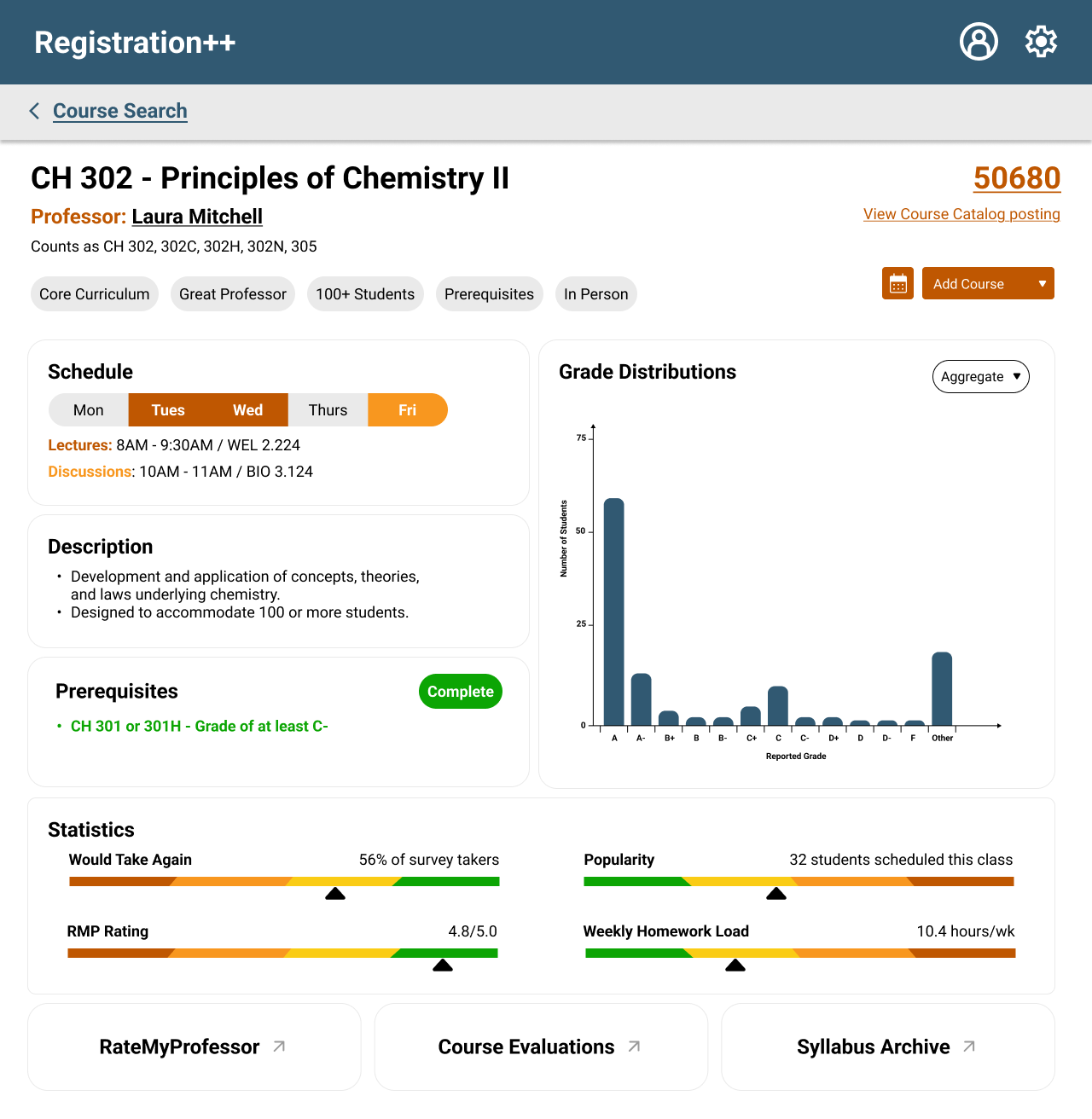
A “one stop shop” for all things UT registration: the course catalog, class descriptions, stats and syllabi, grade curves, RateMyProfessor reviews, and a schedule creator all in one app. This tool addresses these challenges by helping students create well-balanced schedules that reduce conflicts, align with their academic goals, and provide greater confidence in the registration process.
User Interviews
Before we began building, we asked eight undergraduates about their experiences with the beginning class registration in a structured interview. Here is the breakdown of the group:
*McCombs is a business school.
Stakeholders
We then identified the four major stakeholders and their primary goals of this project:
- Professors:
- Balance class sizes and avoid over-underenrollment
- Academic Advisors:
- Ensure students are on track to graduate and provide guidance on course selection
- Registrar’s Office:
- Maintains accurate course and degree requirement data
- IT Department:
- Ensures technical feasibility, maintain system security
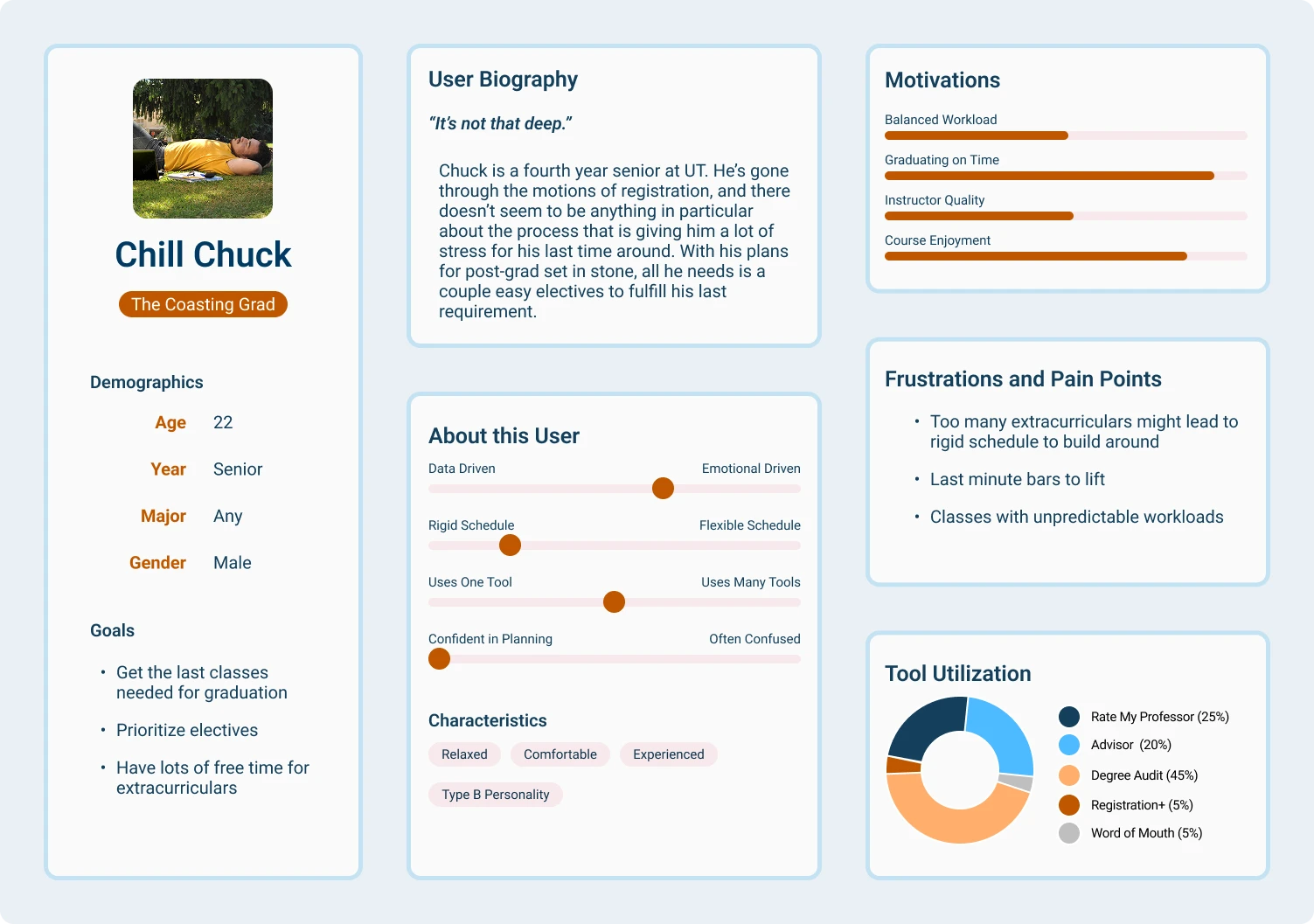
Given these stakeholders, we each created a different persona for student clients. Here was mine, a coasting senior and soon-to-be graduate who wants to minimize his semester workload in order to spend most of his time outside of class applying for jobs:
Scenario
Based on Chill Chuck’s habits and priorities, I placed him in a scenario in which he would be most susceptible to using our application:
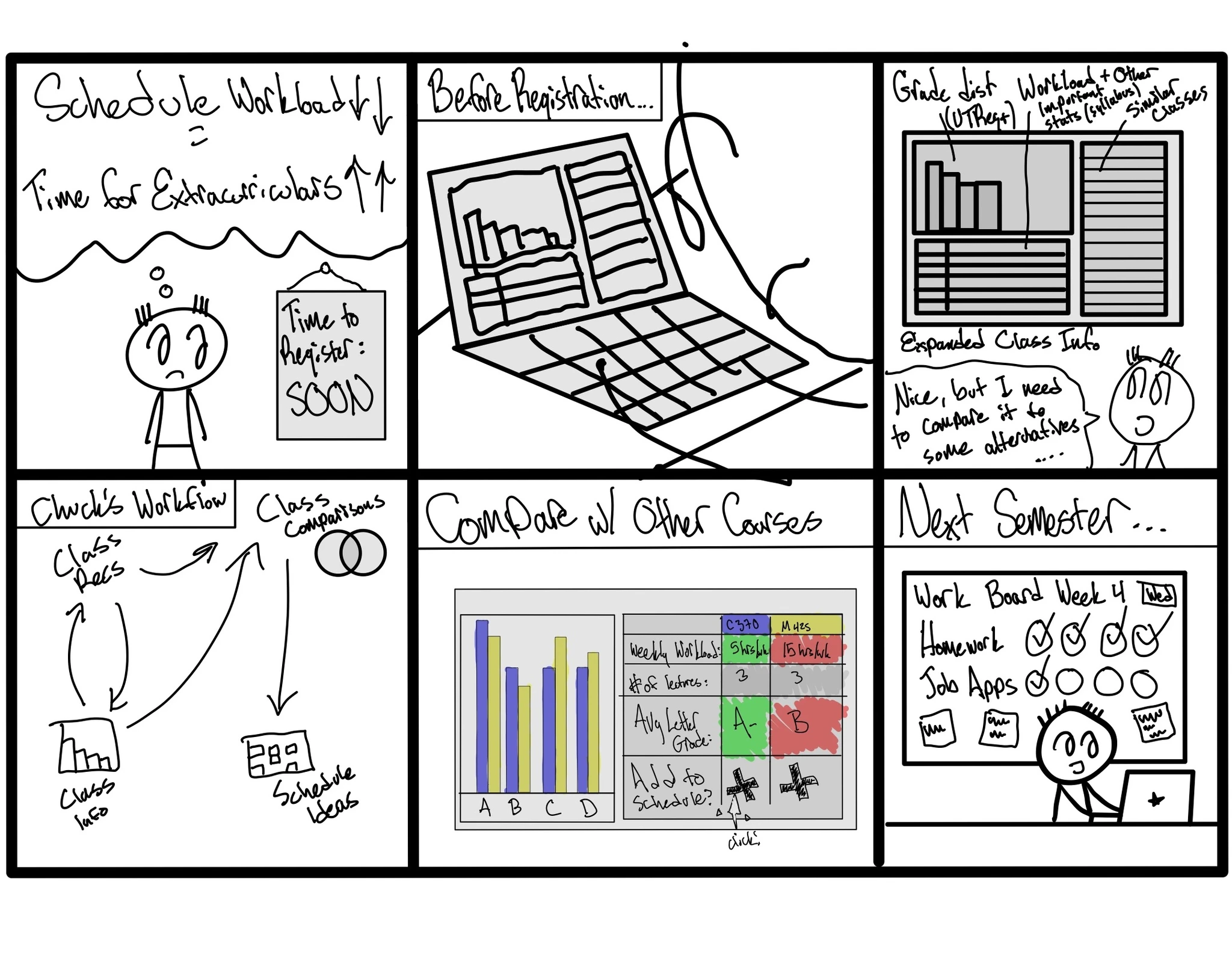
According to his user behavior gradients, Chuck wants to spend less time doing extracurriculars while he looks for a job. By providing a relative weekly homework load in addition to other course statistics sourced from syllabi and RateMyProfessor, he can better plan out his semester to do the things he wants to do (apply for jobs) in his senior year.
Final Product
Reflections
The end to end experience - This project was an experience of the entire UX research and design process in a microcosm, from user research to building design systems to iteration, all while making and defending design decisions with my team.
Where students really build their schedules - As we discovered from our user interviews, the integrated UT schedule builder doesn’t serve many students. Students look for schedule-building functionality in apps like Excel rather than looking internally. By consolidating the entire registration process into one tab, more time would be spent on the application rather than bouncing between different solutions.